Press "Enter" to skip to content

Category: VCF

Why DNS and MTU really matters - Supervisor Story

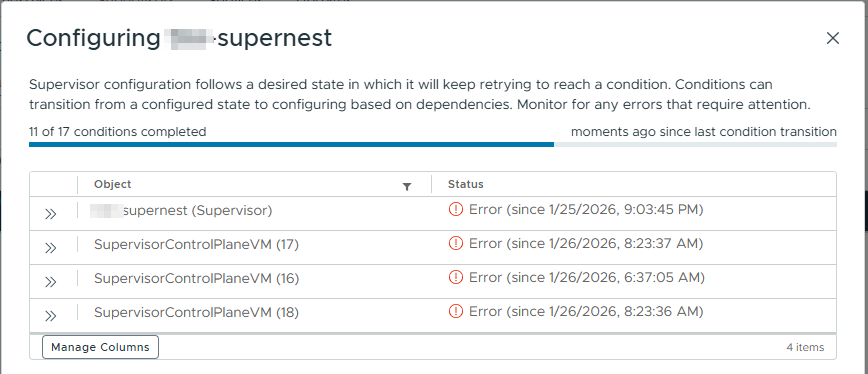
Time ago at one of the customers I was solving deployment of a Supervisor cluster. Really trivial thing, you mean, but I have been facing with a few things, which have not been exactly documented in any KB.

Deployment in the first phase ran really smoothly.

  1. Cluster with NSX
    • Customer is using NSX, resp. VCF in licensing, but installed manually part by part on the vSphere 8.
  2. Storage policies
    • Even when customer is not using vSAN, for Tanzu deployment (vSphere Kubernetes Services), it is required to have Storage policy in place. Using them K8s know where to place persistent objects. 
    • You have to create Tags for Storage policies
    • Assign those Tags to appropriate Datastores, to be at least one Datastore "Compatible" during Storage policy selection.
    • Create Storage Policies. If you don't have vSAN in place, they will be created only with Tag based placement.
  3. Load Balancer
    • You have to choose, if you will be using NSX load balancer or you have AVI, during Supervisor creation. AVI is licensed separately, but has more features. You have to decide if it gives you aditional value or not.
    • Customer has decided to use "only" NSX.
  4. 3 IP subnets, which are routable
    • 1 for Supervisor MGMT - you can use vDS portgroup.
      • 5 consecutive IP addresses
    • 1 for Ingress - Services, that will be published outside using LB
    • 1 for Egress - access for all containers and TKG cluster to the outside world "SNAT"
  5. 2 IP subnets for internal K8S connectivity
    • 1 subnet pro K8S konektivitu Supervisor Services podů a TKG clusterů
    • 1 subnet pro K8S service objekty
    • Subnety se nesmí překrývat s jinými supervisor subnety
VCF 9 and What's new

17th June Broadcom officially make available new version of VMware Cloud Foundation (VCF) with the version number 9. SO all of the components switched to version 9. All include vCenter, ESX hosts and also NSX and Aria Suite, which is now VCF Operations and VCF Automation. For this version all of us were waiting since its announcement in August 2024 on VMware Explore in Las Vegas.

Let's have a look on the main things, which came with this version.

Resize vCSA 8.0 Root partition

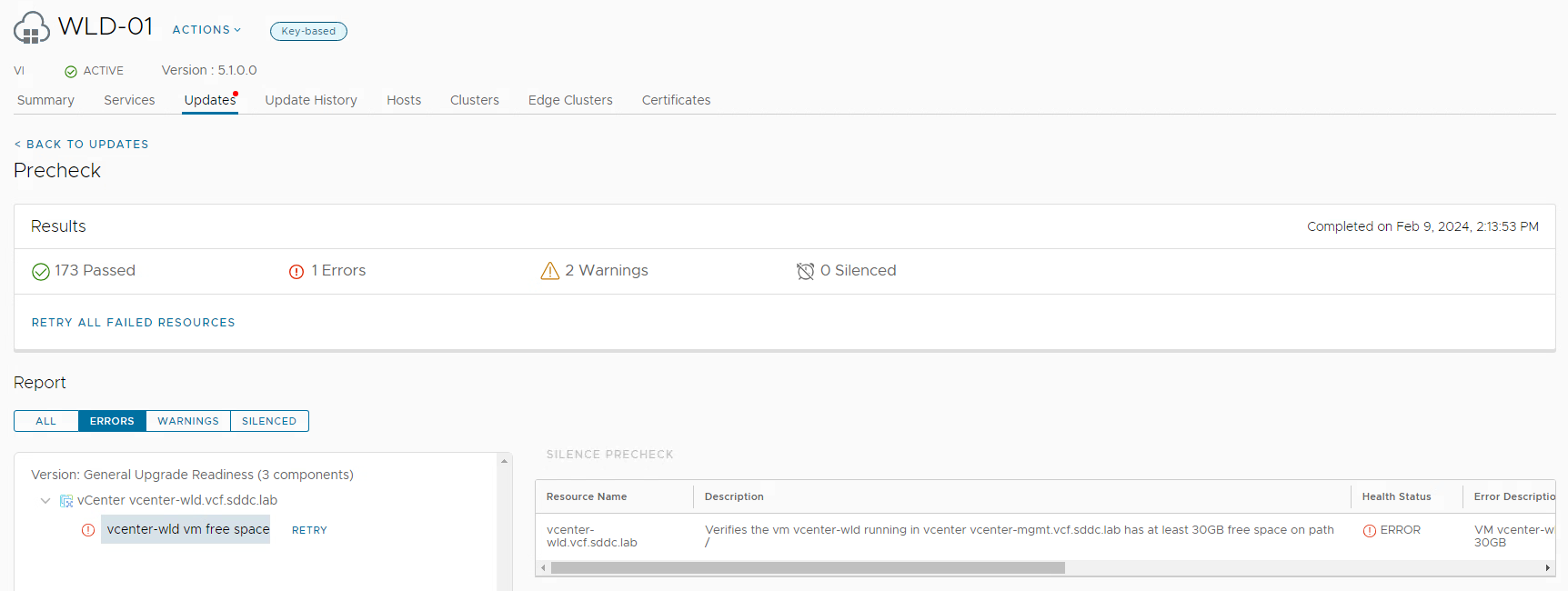
Když jsem zkoušel přes VCF dohledat aktualizace, z verze 5.1.0 – konkrétně vCenter 8.0.2, NSX 4.1.2.1 … tak jsem narazil na jeden Check, který mi hlásil error.

Konkrétně se jednalo o Free space na Root partition „/“. Vyžaduje minimálně 30GB a aktuálně tam bylo 29GB

Jak tedy zvětšit root partition ve vCenter server? Nabízela se klasická metoda. Je to VM, tak zvětším VMDK soubor a pak zvětším partition jako kteroukoli jinou ve vCenter. Jde to přes API, appliance shell nebo Bash shell. Všechny 3 postupy níže v textu.

Jenže tento „zaručený postup“ funguje jen na všechny ostatní disky, kromě ROOT. Viz toto KB: https://kb.vmware.com/s/article/2145603 a v něm zmíněné

  • Resizing root partition is not supported on 7.0 and above.

VCF update – problém s vSAN HCL up to date

Tak si zkouším a hraju s HoloDeck, které mi simuluje prostředí s VCF. Aktuálně tedy na zmenšeném prostředí se 4 virtuálními hosty.

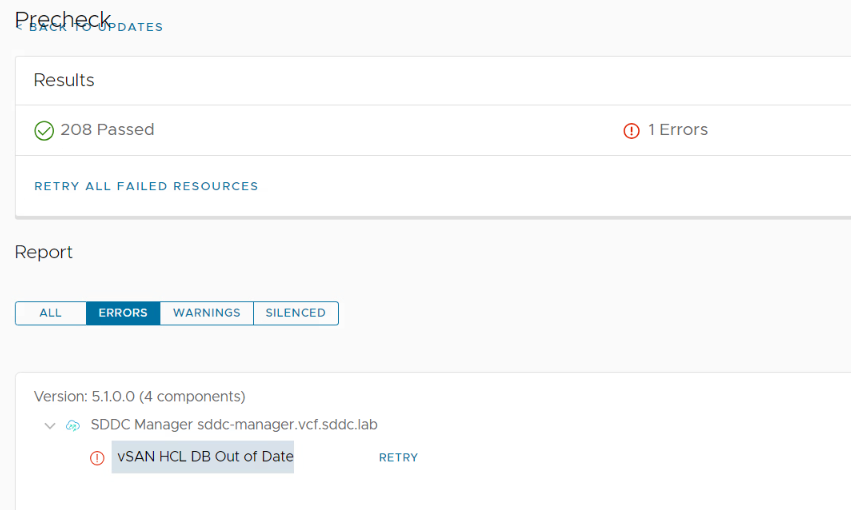
Při upgradu z verze 5.0 na 5.1 jsem ale narazil na jeden zajímavý problém. Přestože SDDC manager má přístup do internetu, odkud si stahuje Upgrade bundly atd. tak se mi neaktualizoval vSAN HCL DB.